Trustpilot Review Widget Guide: Your 2025 Success Blueprint
October 23, 2025

In today’s digital marketplace, trust is the deciding factor for most purchases. Shoppers look for signals that a brand is credible and delivers on its promises. That is where the trustpilot review widget becomes your secret weapon for 2025.
This guide is your step-by-step blueprint to turn genuine customer feedback into a powerful business asset. You will discover why Trustpilot reviews matter, how to implement and customize widgets, and the best practices that drive real results.
Ready to unlock the power of social proof and boost your revenue? Let’s dive in and transform the way your brand earns trust.
Why Trustpilot Reviews Matter for E-commerce in 2025
In 2025, online trust will be the lifeblood of e-commerce growth. The trustpilot review widget is more than just a tool—it is a catalyst for converting browsers into buyers and building unshakeable brand credibility. Understanding why these reviews matter can help you stay ahead of the competition and adapt to changing consumer expectations.
The Power of Social Proof in Modern E-commerce
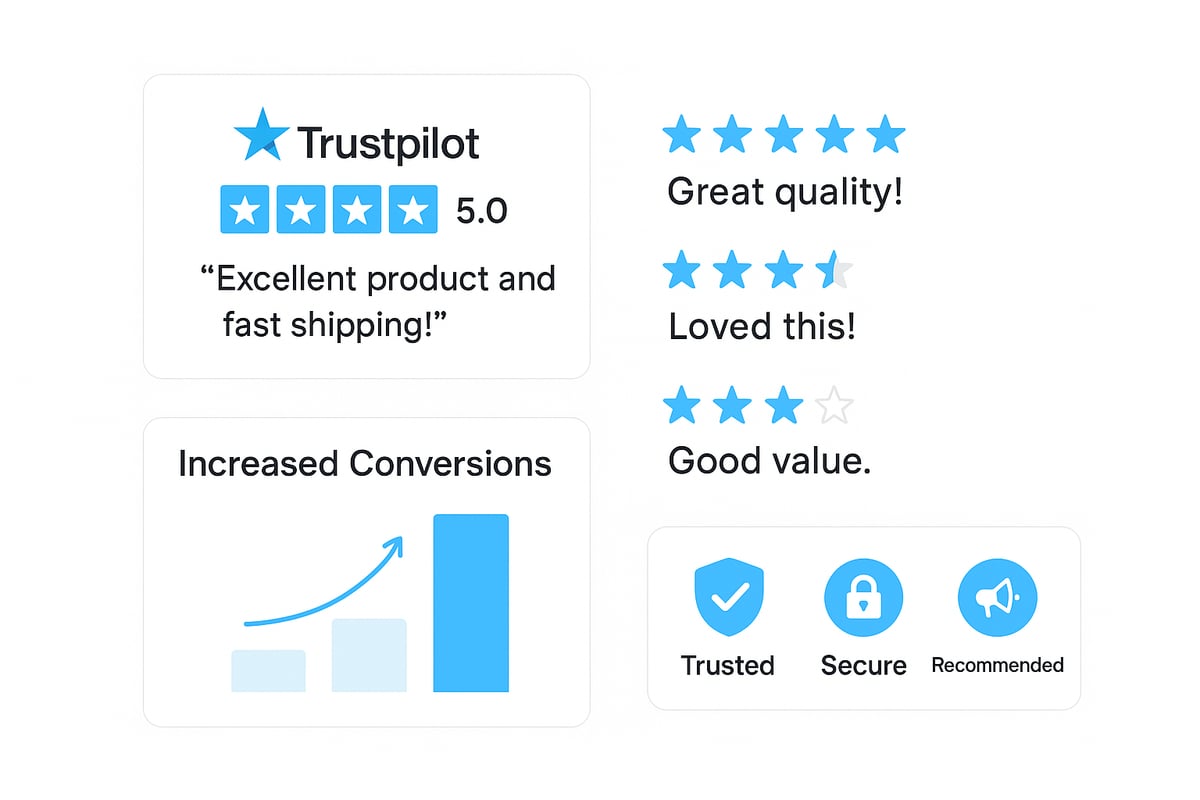
Social proof is a decisive factor in purchasing decisions. According to the Impact of Online Reviews on Consumer Behavior, 93% of shoppers say reviews influence what they buy. With the trustpilot review widget, e-commerce brands showcase verified, third-party feedback, instantly building credibility. When new visitors see real customer experiences, their hesitation drops, and confidence rises. This visible endorsement can tip the balance in your favor, especially in crowded markets.
Trustpilot’s Influence on SEO and Conversion Rates
The trustpilot review widget does more than display positive feedback—it boosts your website’s visibility and performance. Google actively indexes Trustpilot reviews, helping your product pages climb in organic search results. Businesses using the trustpilot review widget frequently report 20% to 30% higher conversion rates. Star ratings, when displayed in search results, draw more clicks and signal quality, setting your site apart from competitors.
Building Brand Reputation and Loyalty
Consistent use of the trustpilot review widget strengthens your brand’s reputation. Authentic, verified reviews foster long-term loyalty, as customers trust companies that are open and transparent. Trustpilot’s system safeguards against fake feedback, ensuring only genuine experiences are shared. Even negative reviews, when addressed professionally, can enhance your reputation by demonstrating responsiveness and a commitment to improvement.
Competitive Benchmarking and Insights
Trustpilot empowers brands to benchmark their performance against industry peers. By analyzing review trends, you can identify strengths and areas for improvement. Insights from the trustpilot review widget help refine products, services, and customer support. This data-driven approach ensures you remain agile and responsive in a competitive e-commerce environment.
Regulatory and Consumer Trends for 2025
The landscape for online reviews is evolving. In 2025, regulations will emphasize transparency and the clear display of third-party feedback. The trustpilot review widget supports compliance with these requirements, including GDPR. As consumers demand authenticity, leveraging this widget positions your brand as credible and future-ready.
Step-by-Step: How to Implement the Trustpilot Review Widget
Unlocking the benefits of the trustpilot review widget starts with proper setup and integration. Follow these actionable steps to ensure your e-commerce site maximizes trust, credibility, and conversion potential.
Step 1: Setting Up Your Trustpilot Business Account
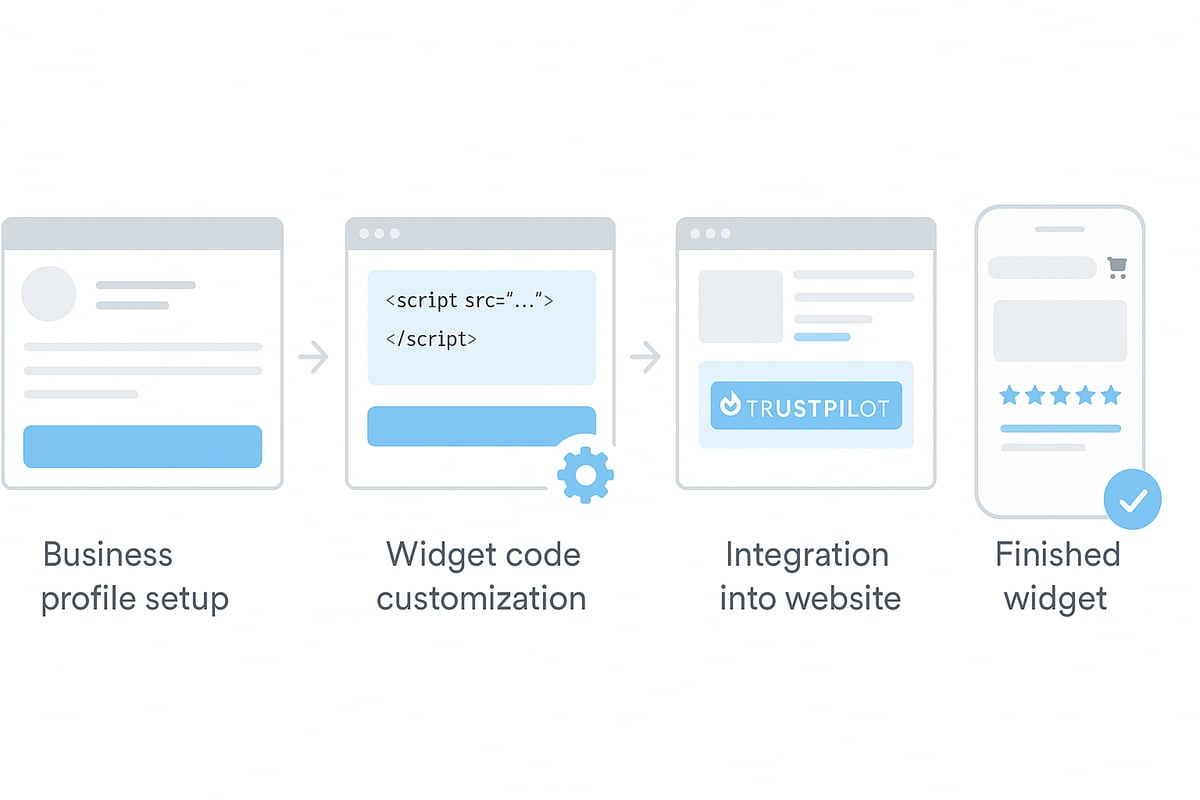
Begin by registering your business on Trustpilot. Verification is crucial for building customer trust, so ensure your company details are accurate and up to date.
Complete your business profile. Add your logo, company description, and contact information. Verified profiles typically see up to 15% more engagement compared to unverified ones.
Consider assigning a dedicated team member to manage your Trustpilot account for ongoing consistency.
Step 2: Generating and Customizing Your Widget Code
Once your profile is ready, head to your Trustpilot dashboard and access the widget library. Browse various widget formats such as carousel, grid, or badge to find the best fit for your brand.
Customize the widget’s appearance. Adjust colors, fonts, and star styles to align with your site. This step ensures the trustpilot review widget reinforces your brand identity.
For detailed guidance on selecting and optimizing widgets, see How to Use Review Widgets.
Step 3: Integrating the Widget on Your E-commerce Platform
Copy the generated widget code directly from Trustpilot. Paste it into your website’s HTML or use your CMS’s custom code section. Popular platforms like Shopify and WooCommerce support plugins for even easier integration.
If using a plugin, follow the setup instructions for seamless embedding. Always test on both desktop and mobile to guarantee the trustpilot review widget displays correctly across all devices.
A quick tip: Use preview mode before publishing changes to spot design or placement issues early.
Step 4: Optimizing Widget Placement for Maximum Impact
Strategic placement of your trustpilot review widget drives results. Position widgets above the fold on your homepage, on product pages, and within checkout flows to boost visibility.
Sites featuring review widgets on high-traffic pages see a 25% increase in trust signals. Experiment with widget locations and formats, then use A/B testing to measure which placements yield the best performance.
Keep your layout uncluttered to maintain a clean user experience and highlight the most impactful reviews.
Step 5: Ensuring Compliance and Data Privacy
Compliance is essential when displaying customer feedback. Only show verified reviews through your trustpilot review widget to meet regulatory standards and protect your brand reputation.
Update your privacy policy to reflect third-party data collection practices. Trustpilot’s widgets are designed to be GDPR compliant, helping you stay ahead of evolving privacy regulations.
Regularly review your widget and data policies to ensure continued compliance as requirements change.
Customizing and Optimizing Your Trustpilot Widget for 2025
Personalizing your trustpilot review widget is a critical step for building credibility and increasing conversions in 2025. Smart customization ensures your reviews look and feel like a natural extension of your brand, creating a seamless experience for every visitor.
Design Customization for Brand Consistency
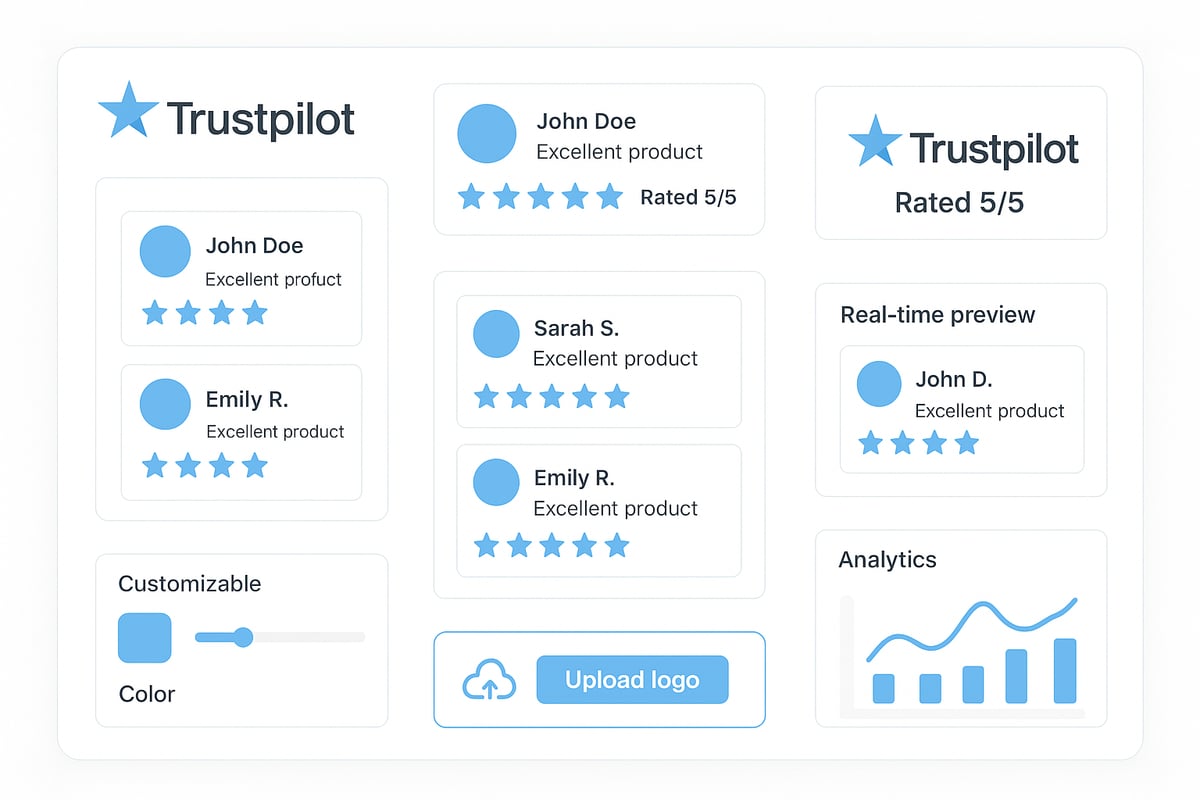
A trustpilot review widget should always reflect your unique brand identity. Begin by adjusting widget colors, fonts, and layouts to match your visual guidelines.
Upload your company logo for instant recognition.
Use custom calls-to-action to encourage engagement.
Select star styles that align with your website's mood.
Branded widgets do more than look good. According to recent data, they can boost engagement by 18 percent. When your trustpilot review widget feels cohesive with your site, visitors are more likely to trust the feedback and take action.
Selecting the Right Widget Type for Your Goals
Choosing the ideal trustpilot review widget format is essential for maximizing impact across your customer journey. Different formats serve different purposes:
Widget Type | Best Placement | Primary Goal |
|---|---|---|
Carousel | Homepage, landing | First impressions |
Grid | Product pages | Inform purchase decisions |
Badge | Checkout, footer | Reinforce trust |
Mixing formats at strategic touchpoints amplifies results. For example, a carousel on your homepage grabs attention, while a grid widget on product pages provides detailed social proof. Consider your goals for each page and align the trustpilot review widget format accordingly.
Highlighting Top Reviews and UGC
Spotlighting your best reviews and user-generated content (UGC) can transform a standard trustpilot review widget into a powerful sales tool. Pin top-rated reviews at the top of your widget to catch the eye of new shoppers.
Encourage customers to include photos or videos with their feedback. Visual UGC adds authenticity and helps potential buyers connect with real experiences. Featuring this content in your trustpilot review widget increases both credibility and engagement.
Leveraging Rich Snippets and Schema Markup
Enabling schema markup for your trustpilot review widget allows star ratings to appear directly in Google search results. This feature can boost your organic click-through rate by up to 35 percent, according to Moz.
To maximize this advantage, follow Trustpilot's Influence on SEO and Conversion Rates for guidance on implementing TrustBox widgets and structured data. With the right setup, your reviews work double duty, building trust on your site and enhancing your SEO performance.
Performance Tracking and Analytics
Continuous optimization is key to getting the most from your trustpilot review widget. Use Trustpilot's analytics dashboard to monitor impressions, clicks, and conversion rates.
Track which widget formats and placements drive the highest engagement. Review sentiment analysis and trends over time to refine your strategy. By measuring what matters, you can adjust your trustpilot review widget setup for ongoing success in 2025.
Maximizing the Impact: Best Practices and Advanced Strategies
Maximizing the effectiveness of your trustpilot review widget requires a thoughtful approach. By combining proven best practices with advanced tactics, you can turn every review into a catalyst for conversion and brand trust. Let us explore the strategies that will set your business apart in 2025.

Encouraging More High-Quality Reviews
The foundation of an impactful trustpilot review widget is a steady stream of authentic, positive feedback. Automate review requests immediately after a purchase to capture fresh impressions while the experience is top-of-mind. Personalized invitations, rather than generic emails, consistently yield higher response rates and more thoughtful reviews.
Ethical incentives, such as loyalty points or small discounts, can motivate customers to share their experiences. For a deeper dive on effective tactics, explore these review collection strategies that help maximize both the volume and quality of your reviews.
Handling Negative Reviews Proactively
Even the best businesses receive occasional negative feedback. A trustpilot review widget becomes a strength when you address concerns openly and promptly. Respond with empathy, acknowledge the issue, and offer a solution. This approach not only reassures the reviewer but also demonstrates transparency to future shoppers.
Engaging with criticism signals that your brand values every opinion. Studies show that businesses responding to negative reviews experience a measurable lift in trust, turning challenges into opportunities for improvement and deeper customer loyalty.
Integrating Widgets Across the Customer Journey
Strategic placement of your trustpilot review widget is key to influencing buying decisions. Embed widgets on high-traffic landing pages, product pages, and even within email campaigns. This multi-touchpoint visibility reinforces trust at every stage, reducing hesitation and boosting conversions.
Consider using a mix of widget formats, such as carousels on homepages and badges at checkout. By aligning widget type and placement with the customer journey, you ensure your best reviews are seen when they matter most.
A/B Testing and Continuous Optimization
Optimizing your trustpilot review widget is not a one-time effort. Regularly test different widget formats, placements, and calls to action to identify what resonates with your audience. Use built-in analytics to track impressions, clicks, and conversion rates.
A/B testing helps you discover high-performing configurations and avoid assumptions. Make small, data-driven adjustments over time, and let results guide your strategy for sustained impact and higher ROI.
Leveraging AI and Automation for 2025
AI and automation are transforming how businesses use the trustpilot review widget. AI-powered sentiment analysis reveals key trends and actionable insights from customer feedback. Automation streamlines review collection, publishing, and even the interception of negative feedback before it appears publicly.
Advanced tools like Inflate unify review requests and analytics, delivering a comprehensive view of customer sentiment. By leveraging these capabilities, you can proactively manage your brand reputation and stay ahead in the competitive e-commerce landscape.
Measuring Success: KPIs and Reporting for Trustpilot Widgets
Tracking the impact of your trustpilot review widget is essential for maximizing its value in your e-commerce strategy. Consistent measurement helps you understand what drives customer engagement, trust, and ultimately, conversions. By focusing on the right metrics, you can fine-tune your approach and ensure your review strategy delivers measurable business outcomes.
Key Performance Indicators to Track
To assess the effectiveness of your trustpilot review widget, monitor these essential KPIs:
KPI | What It Measures |
|---|---|
Review Volume | Number of new reviews collected |
Review Frequency | How often reviews are submitted |
Widget Impressions | How many times the widget is viewed |
Clicks | Number of interactions with the widget |
Conversion Rates | Percentage of users who convert after interacting |
Star Rating Trends | Changes in average rating over time |
Sentiment Analysis | Overall tone of customer feedback |
Regularly reviewing these metrics helps you stay aligned with your goals and uncover new opportunities for improvement.
Using Trustpilot’s Analytical Tools
Trustpilot provides a robust analytics dashboard for tracking the performance of your trustpilot review widget in real time. You can easily monitor impressions, clicks, and conversion rates, enabling you to make data-driven decisions.
Exporting data for deeper analysis or integration with your business intelligence tools is straightforward. For a comprehensive evaluation of the platform’s strengths, consider this Review of Trustpilot Platform, which highlights the advanced capabilities available for businesses seeking actionable insights.
Benchmarking Against Industry Standards
Comparing your trustpilot review widget performance to industry benchmarks provides valuable context. Analyze your KPIs against sector averages to identify strengths and areas for growth. Competitive analysis tools can help you understand where you stand relative to peers.
For example, if your conversion rate lags behind the industry norm, it may signal a need to optimize widget placement or messaging. Staying informed about how Trustpilot compares to other platforms, such as in this Trustpilot vs Google Reviews resource, can also inform your benchmarking strategy.
Turning Insights into Action
Use the insights gained from your trustpilot review widget analytics to drive continuous improvement. Identify which pages and placements generate the highest engagement and replicate those successes elsewhere.
If sentiment analysis reveals recurring issues, pass this feedback to your product or customer service teams for resolution. Adjust your widget design or call-to-action based on performance trends to maximize ROI.
Reporting to Stakeholders
Clear, visual reporting is vital for demonstrating the value of your trustpilot review widget to stakeholders. Use charts and tables to present trends in review volume, star ratings, and conversion rates.
Tailor reports to the needs of management, marketing, and customer support teams. Highlight how your review strategy directly impacts business outcomes, providing actionable recommendations for future growth.
Now that you’ve seen how a well implemented Trustpilot review widget can transform your e commerce reputation and drive measurable results in 2025, why not see these strategies in action for your own business We’ve explored how authentic feedback, smart placement, and unified solutions like Inflate can boost trust and conversions. If you’re ready to turn customer reviews into a true growth engine and want expert guidance on tailoring widgets to your goals, let’s connect and walk through your options together.
Book a demo


Keep exploring our blog
Actionable articles, case studies, and playbooks to turn ideas into results.




Load More
